Personal AI setup for lawyers

Your AI agent. Set up for your work.

Work with me to connect your AI to your tools and files, then use it to draft client updates, prepare for meetings, and find the information you need.

$500
One person · One platform
2 hours together on a video call
✓ 100% money-back guarantee on your setup

Steve’s experience with ChatGPT coaching

“Then we installed the desktop app and connected it to my email. That took the value to another level.”

Steve Rohr · General Counsel, Vortex Companies

Global infrastructure company · 1,700+ employees · 50+ locations

Read Steve’s full testimonial
“Wesley helped me get far more value from ChatGPT in my work as general counsel. Our company already had an enterprise subscription, but hardly anyone was using it. He walked me through choosing the right model and reasoning settings, which made it much more useful. Then we installed the desktop app and connected it to my email. That took the value to another level. I highly recommend Wesley’s hands-on AI coaching to lawyers and legal teams who already have access to ChatGPT and want practical help putting it to work.”

Bring the AI you already use.

No subscription yet? My recommendations:

Explore ChatGPT setup →
ChatGPT

ChatGPT Work

Put your tools and files to work in ChatGPT.

OpenAI’s official ChatGPT Work product demonstration
  • Connect your email and files
  • Set models and reasoning for your work
  • Practice delegating a real assignment
Get my ChatGPT setup — $500ChatGPT setup details
View qualifying subscriptions

Requires a qualifying $100-level subscription. Setup covers one person.

  • ChatGPT Pro$100, $200, or $500/month

    Personal subscription

  • Business Premium seat$125/person/month

    Monthly billing · setup for one Premium seat

Choose ChatGPT Pro or a Business Premium seat. I’ll confirm Work access, available features, and any required administrator permissions before booking.

Claude

Cowork capabilities, skills & connectors

Give Claude your files and your way of working.

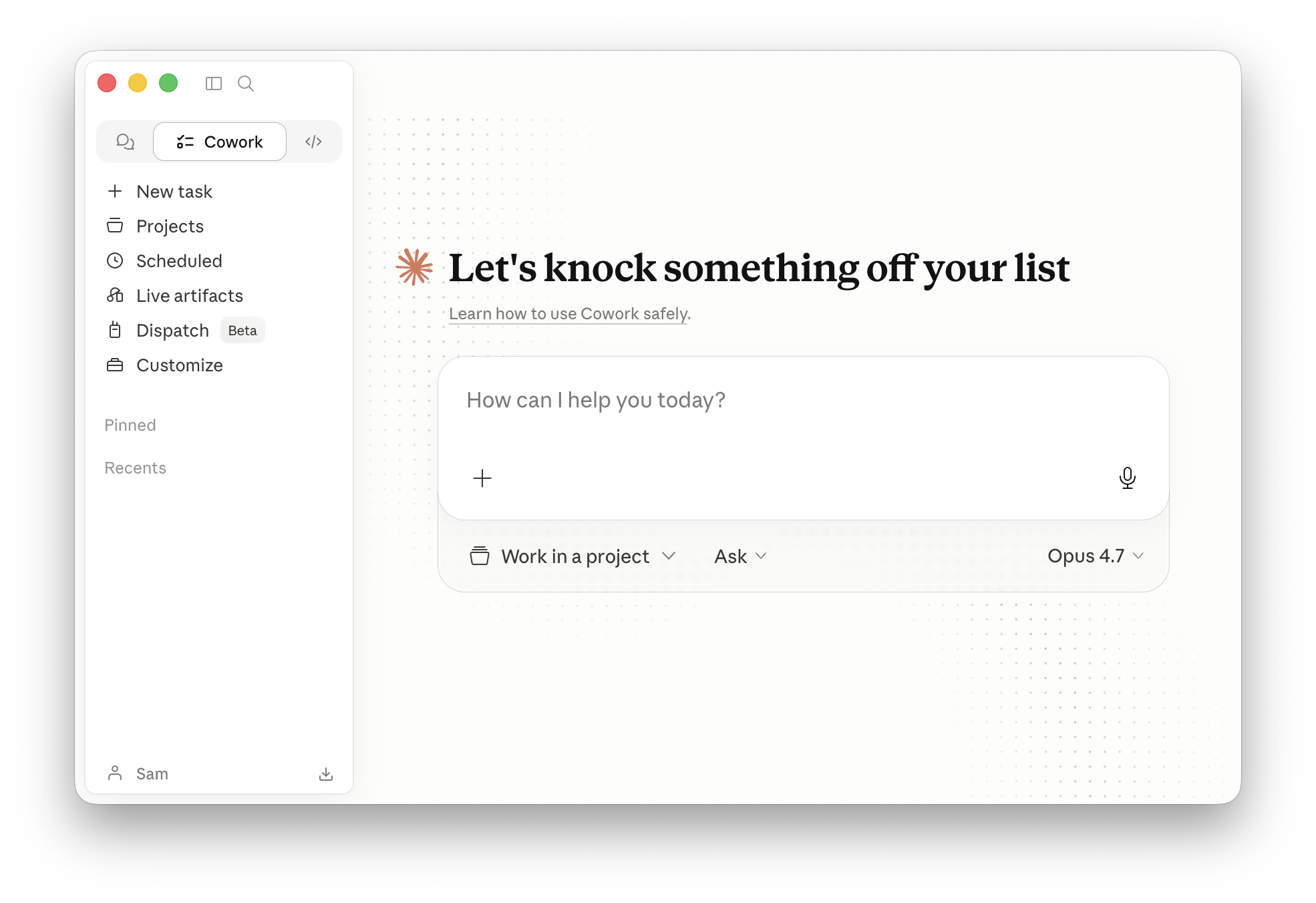
Claude Cowork interface shown in Claude Academy’s official getting-started tutorial
  • Connect your folders and apps
  • Teach Claude your working preferences
  • Save a drafting process as a reusable skill
Get my Claude setup — $500Claude setup details
View qualifying subscriptions

Requires a qualifying $100-level subscription. Setup covers one person.

  • Claude Max 5x$100/month

    Personal subscription

  • Claude Max 20x$200/month

    Personal subscription

  • Claude Team Premium seat$125/person/month

    $100/person/month billed annually · Team requires at least two seats; this setup covers one person

Choose Claude Max or a Team Premium seat. Claude is bringing Cowork capabilities into its main app; I’ll configure the experience available in your account. Team connections may require administrator approval.

Gemini

Gemini app · Spark

Put Gemini Spark to work across your Google apps.

The Gemini desktop app in Google’s official product demonstration
  • Connect Gmail, Calendar, and Drive
  • Set Spark up around your priorities
  • Build a skill or scheduled briefing
Get my Gemini setup — $500Gemini setup details
View qualifying subscriptions

Requires a qualifying $100-level subscription. Setup covers one person.

  • Google AI Ultra · 5x$99.99/month

    Qualifies as a $100-level plan · personal Google account

  • Google AI Ultra · 20x$199.99/month

    Higher usage · personal Google account

Choose Google AI Ultra. Spark currently requires a personal Google account and is unavailable on work or school accounts. You must have Spark access and Keep Activity enabled; I’ll confirm eligibility before booking.

Grok

Grok Bot

Delegate work across apps and websites.

Example workflow

  1. 01Give a Bot its job
  2. 02Connect approved tools
  3. 03Review and reuse the routine
  • Set up your Bot’s cloud computer
  • Connect the apps and sites you use
  • Test a routine you can run again
Get my Grok setup — $500Grok setup details
View qualifying subscriptions

Requires a qualifying $100-level subscription. Setup covers one person.

  • SuperGrok Plus$100/month

    Link your individual subscription to a Cursor account for Grok Bot access

  • Cursor Teams Premium seat$120/person/month

    $96/person/month billed annually · Grok Bot included; no separate SuperGrok subscription required

Choose SuperGrok Plus or a Cursor Teams Premium seat. Existing SuperGrok Heavy or Grok Business Heavy licenses can also be reviewed before booking; I’ll confirm the assigned tier, price, and usage allowance.

You pay for your AI subscription. Setup covers one user.Enterprise and additional users quoted separately.

3 free bonus guides.

Included with your setup.

Prompting Guide

Save time with prompting best practices.

Plugins Guide

Find plugins that let AI read and write in your software.

Model & Reasoning Cheat Sheet

Balance intelligence and reliability with your usage limits.

Make it your working AI.

$500 one-time setup

One person · One platform · 2 hours on a video call

What your setup includes

  • Your AI configured and the agreed connections tested.
  • One agreed workflow demonstrated, with hands-on practice.
  • Three guides for prompting, plugins, and model settings.
  • A record of your configuration to refer to afterward.

Your qualifying AI subscription is a separate recurring expense. The listed higher-usage plans give us room to build and practice during setup.

Additional coaching is available separately at $150/hour.

Have a promo code?

What happens after payment?

Choose your two-hour video call, at least 24 hours ahead. Your Google Meet invitation arrives by email. We’ll also email the booking link so you can schedule later.

Select your platform and qualifying subscription to continue.

100% money-back guarantee.

If you don’t feel your AI setup was worth what you paid, contact me and I’ll refund 100% of your setup fee.

AI setup package only. Refund policy ↗

Questions before you buy?
Send Wesley a message

Please do not include client names, confidential facts, privileged material, or documents.

Privacy policy ↗

Text Wesley a question

Before we get started

A few practical questions.

Read the setup terms ↗
How do I schedule after payment?

Your payment confirmation page has a button to choose your setup time. Reserve a two-hour video call with at least 24 hours’ notice. We’ll also email the booking link. After you book, your calendar invitation includes a Google Meet link. Use your checkout email and the order reference shown on your confirmation page.

What if none of the available times work?

Text Wesley at 425-698-5279 and we’ll find a time together. You can ask about timing before you buy. After payment, the confirmation page and booking email also include a Text Wesley option.

Text Wesley about availability
Which subscription do I need?

A qualifying $100-level or higher personal plan or Premium team seat. The $99.99 Google AI Ultra plan qualifies, as do the listed annual-billing variants. This is my service requirement so you have substantial usage available. Software fees are separate. We confirm your plan and feature access before booking.

Can you connect Outlook, OneDrive, or Clio?

Connections depend on your chosen AI platform. For ChatGPT, we can use Outlook and supported SharePoint or OneDrive work or school files. Clio’s Vincent connection requires eligible Vincent or Clio Work access. We confirm your accounts, permissions, and the specific task before booking.

When is the setup complete?

Your system is configured, the agreed connections are tested, one agreed workflow has been demonstrated successfully, you’ve practiced using it, and you’ve received your three guides and configuration record. We agree on the platform, connections, and workflow before work begins.

What should I bring to our video call?

Your computer, access to your qualifying account and approved tools, and a task you want help with. We’ll work together for 2 hours. Be ready to explain your work, ask your AI follow-up questions, and review what it produces.

Can you set up my whole team?

The standard $500 package covers one person on one platform, including one qualifying team seat. Additional people and all Enterprise subscriptions need a separate quote.

Request a team quote →
Can you automate a task for me?

Yes—we agree on one achievable workflow and build and test it together using the platform’s supported tools. A recurring task or automation can be that workflow where supported. More workflows or a larger implementation can be scoped separately.

What if I want more help afterward?

You can hire me for additional AI coaching or attorney-directed legal assistance at $150/hour. Ongoing coaching is separate from the setup package.

Explore hourly legal support →

Other ways to work with me.

Flat-fee motions & memos

From $500fixed written quote

Researched, cited motions, memos, and briefs under your direction. Know the price before work begins.

View flat-fee pricing

Hourly legal support

$150per hour

AI coaching or attorney-directed research and drafting. Work with me on a video call or send an assignment.

Explore hourly support